 Rocket Roadster
Rocket Roadster · Support
Help with Rocket Roadster
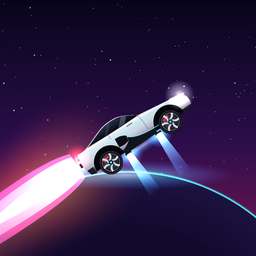
Rocket Roadster is a one-handed arcade racer for iPhone and iPad. It plays offline and keeps your progress on your device.
Ask us directlyIdeally include your device model and iOS version.
Send an emailFrequently asked
How do I play?
The roadster accelerates by itself. You use one finger anywhere on the screen:
- Tap to jump,
- hold to hover on the cold-gas thrusters (watch the cold-gas gauge),
- double-tap in mid-air for a flip – on the right half a backflip, on the left half a frontflip.
Every landed flip and every green bolt recharges your battery. When it runs empty, the run ends.
Why did my run end?
After every crash the game tells you why – for example a fall into a chasm, a landing on the roof, a drone or a laser. Tip: tap just before the edge of a chasm and keep holding for wide gaps. Over ground lasers, a short tap is enough.
What are coins and levels for?
Coins buy tuning, paint jobs, rims, thruster colours, light trails, vehicles and the extras head start and start shield in the Garage. Driver levels rise with every run and unlock rewards and some garage items.
What is the daily challenge?
Once a day everyone drives the same track with the same car values. Your best distance of the day goes to its own Game Center leaderboard. Extras from the garage are not used there.
Which ads are in the game, and how do I remove them?
Rocket Roadster contains no ad network. The clips you see are short videos for our own apps (Life Cost, Pinned Memories, GlobeStamps) and are part of the app. Between runs a clip can be closed after 5 seconds; clips for rewards are always optional.
The one-time purchase No Ads removes all clips and gives you every reward instantly – including continuing after a crash. No subscription.
I already bought “No Ads” – how do I get it back?
Open Settings in the menu and tap Check next to Restore purchases, or use Restore purchases on the “Ride ad-free” screen. This works after a reinstall and on every device with the same Apple ID.
Game Center and leaderboards
Sign in under iOS Settings → Game Center. The menu item Leaderboard then shows the all-time and the daily leaderboard. Game Center is optional – the game is fully playable without it.
Landscape, panorama and duel
On iPhone the game plays in portrait. On iPad and on the inner display of iPhone Duo you can also turn the device: the track becomes a panorama and the menu offers Duel · 2 players on a split screen. Folding or unfolding pauses a running race automatically.
Sound, music and vibration
Music, engine sound, effects and vibration each have their own control under Settings.
Something isn’t working.
Tell us briefly what you did and what happened – ideally with your device model, iOS version and a screenshot. The version number is in the menu under Info.